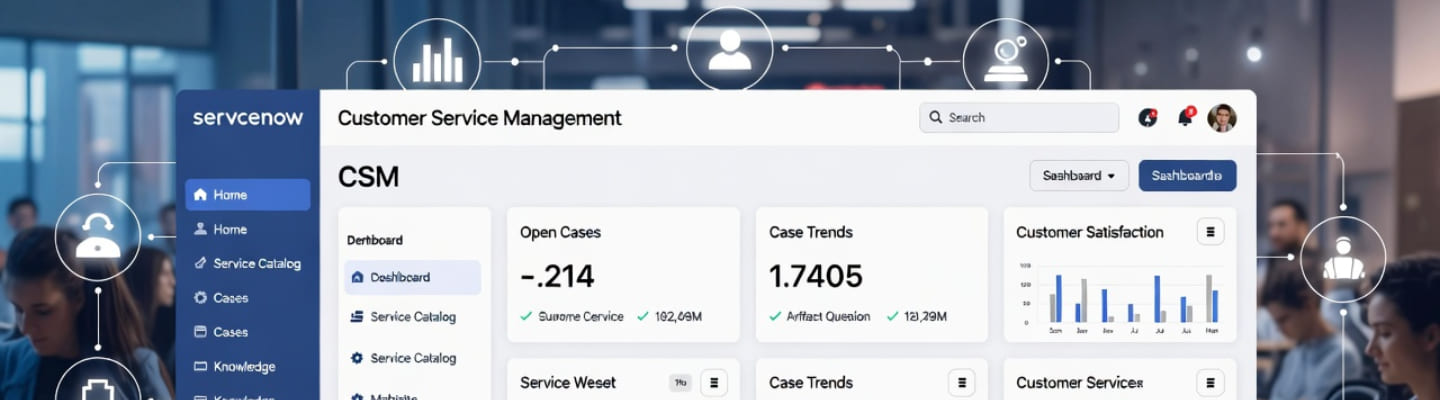
ServiceNow CSM (Customer Service Management) is a platform for managing customer service work in one connected environment. It helps companies handle cases, automate workflows, improve self-service, and connect front-line support with back-end teams. For organizations that want faster service, better visibility, and less manual coordination, it can become a strong operational foundation. The biggest reason companies explore ServiceNow Customer Service Management is simple: customer service gets messy when work is scattered across inboxes, spreadsheets, chat threads, and disconnected systems. A centralized platform helps teams reduce confusion and deliver a more consistent experience. What is CSM in ServiceNow? Think of it as a structured way to run customer service across people, processes, and systems instead of treating support like a chain of isolated tasks.
Core Insights
ServiceNow CSM helps centralize customer service operations. It gives teams a better way to manage cases, knowledge, updates, and internal collaboration. The real value comes from workflow design. Even the best platform underperforms if your routing, ownership, and communication model are weak. It works especially well in multi-team environments. When support depends on operations, billing, technical teams, or field teams, structured service workflows matter much more.
What is ServiceNow CSM?
ServiceNow CSM is a customer service platform designed to help organizations manage service requests, cases, communications, and resolutions in a more connected way. Instead of relying on fragmented tools, teams can work inside a shared system that supports visibility, ownership, and automation. In simple terms, ServiceNow customer service management is built for companies that want customer support to feel less reactive and more organized. It is not just about creating tickets. It is about managing the full service journey, from issue intake to resolution and follow-up. A useful way to look at it is this: if your support team constantly says, “I need to check with another department,” then your service process probably needs more structure than a basic help desk can provide.
Who Should Use ServiceNow CSM?
ServiceNow CSM is a strong fit for organizations with growing service complexity. If customer issues involve multiple teams, repeated handoffs, status updates, and process dependencies, the platform becomes much more relevant. That is why customer service management ServiceNow often appeals to mid-size and enterprise organizations, especially those with more than one service line, more than one support channel, or more than one internal team involved in resolution. A practical test is to review five recent service cases. If customers had to repeat information, wait for updates from multiple teams, or deal with unclear ownership, your process is already showing the kind of friction this platform is meant to reduce. Here key business benefits:
- Better case visibility – Teams can track work more clearly and understand who owns the next action.
- Reduced manual coordination – Agents spend less time chasing updates through email or chat.
- Stronger self-service – Customers can find answers, submit requests, and follow progress more easily.
- Improved customer experience – Service becomes more predictable, transparent, and easier to navigate.
What Are the Main Features of ServiceNow CSM?
The main features usually center on case management, workflow automation, self-service, knowledge, and cross-team coordination. These are the areas that shape daily service performance most directly. The ServiceNow CSM module helps teams organize case records, manage tasks, route work, surface relevant knowledge (for example, ServiceNow Knowledge Management), and create a cleaner service experience for both customers and employees. It also supports portals and structured communication, which can reduce the “what is happening with my issue?” problem that frustrates customers so often. When people ask about CSM in ServiceNow, they are usually asking whether the platform can support service beyond basic case logging. The answer is yes – especially when the business needs better workflow control and stronger links between customer-facing and operational teams.
A mature ServiceNow CSM solution usually includes the following capabilities:
- Case Management – Cases can be logged, categorized, assigned, escalated, and resolved through structured workflows rather than ad hoc handling.
- Workflow Automation – Routine actions such as routing, notifications, approvals, and task creation can be automated to reduce delays.
- Self-Service Portals – Customers can access forms, knowledge, and status information without always needing live assistance.
- Knowledge Management – Teams can reduce repetitive work by making useful answers easier to find.
- Cross-Team Coordination – Internal groups can collaborate around the same service issue without losing context.
How Does ServiceNow CSM Improve Customer Service?
ServiceNow CSM improves customer service by reducing service friction. It gives teams a better way to track work, share context, automate routine actions, and keep customers informed. A lot of service pain comes from unnecessary manual effort. Agents copy details into other systems, chase internal teams for updates, and respond to customers without enough visibility. A well-designed ServiceNow CSM solution helps reduce that waste so service feels smoother and more predictable. Here is the life hack: when service feels slow, the problem is often not speed alone. It is usually a mix of unclear ownership, poor visibility, and too many handoffs. Fix those, and service quality improves faster than most teams expect.
How Does Self-service Fit Into ServiceNow CSM?
Self-service is one of the most practical parts of a mature service model. It gives customers a way to find answers, submit requests, and check status without always needing direct agent interaction. That matters because a lot of incoming service volume is repetitive. Password help, order questions, entitlement checks, onboarding requests, and known issue lookups do not always need live handling. With customer service management in ServiceNow, companies can build a cleaner portal experience that saves time for both customers and agents. The key is to keep self-service useful. A portal should feel simpler than contacting support, not more confusing. Short forms, plain-language categories, and updated knowledge articles make a huge difference. What good self-service looks like:
- Short, plain-language request forms
- Customers should not need internal company vocabulary to get help.
- Searchable knowledge articles
- Content should answer real questions in clear language.
- Easy status visibility
Customers should be able to check progress without opening another case.
How Does ServiceNow CSM Support Integrations?
Integration is one of the biggest reasons companies adopt a more advanced service platform. Customer service rarely operates in isolation, so the platform has to work with the systems behind the scenes. This is where ServiceNow CSM integration capability becomes important. Service teams often need data (like ServiceNow CMDB) or actions from CRM tools, billing systems, product records, operations workflows, or internal business platforms. When those connections are weak, agents become manual coordinators instead of actual problem solvers. In real life, better integration means fewer copy-paste steps, faster handoffs, and less back-and-forth between teams. That is often what turns “support work” into a better customer experience.
What Should You Know Before Implementation?
Common implementation mistakes:
- Overengineering workflows – Complex logic can make the platform harder to use than the old process.
- Ignoring knowledge quality – Automation does not help much if articles are outdated or unclear.
- Designing from the inside out – If workflows only reflect internal departments, the customer experience may still feel fragmented.
Successful implementation depends more on process clarity than on feature ambition. Teams often struggle when they try to launch too much at once or copy broken processes into a new platform. A strong ServiceNow CSM implementation usually starts with a focused scope. Choose a few high-volume case types, map ownership clearly, improve knowledge, simplify status updates, and build from there. That creates early wins and better adoption. If you try to redesign everything in one phase, users often get overwhelmed and service teams start working around the system instead of inside it. Small, visible improvements tend to create much stronger long-term momentum.
What Are the Most Common Mistakes to Avoid?
The most common mistakes are overcomplication, weak knowledge, and customer-blind process design. Those three issues cause more pain than most teams expect. Some organizations build workflows that make internal reporting easier but make the customer journey harder. Others invest in automation while ignoring outdated knowledge content. And some assume a new platform will fix service problems without fixing the real operating model first. If you are thinking about whether to try ServiceNow customer service management, start by cleaning up the basics: case categories, routing logic, article quality, ownership rules, and communication habits. Technology works better when the service process already makes sense.
Is ServiceNow CSM Worth It For Growing Service Teams?
Yes, ServiceNow CSM is often worth it when service demand is growing and support work is becoming harder to coordinate manually. It is especially useful when customer issues involve several internal groups, multiple channels, or a need for stronger visibility. Some teams begin exploring the platform because they want to try Service Now customer service management in a more controlled way before scaling wider. That is a smart approach. Start with the workflows that create the most pain and the highest volume, then expand once the value is clear. If your current service model depends heavily on inbox chasing, status follow-ups, and internal guesswork, there is a good chance Service Now CSM can create real operational improvement.
Planning a ServiceNow CSM Rollout?
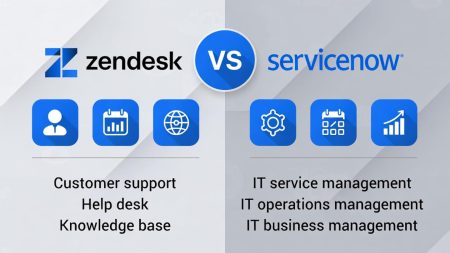
ServiceNow CSM works best when you treat it as a service operating model, not just a software purchase. The platform can absolutely help centralize service, improve case handling, support self-service, and connect teams more effectively. But the strongest results come when companies pair the technology with better workflows, clearer ownership, and more customer-friendly communication. For teams still asking whether ServiceNow customer service management is relevant to them, the simplest answer is this: if your customer service work is becoming harder to manage across people, systems, and departments, then it is worth serious attention. And if your service process already feels too fragmented to scale comfortably, then exploring CSM ServiceNow may be less about adding a tool and more about finally getting control. And if you’re still unsure, you can compare some platforms by functionality, for example, ServiceNow vs Zendesk, to better understand what exactly you need.