Build a Smarter CMDB on the ServiceNow Platform
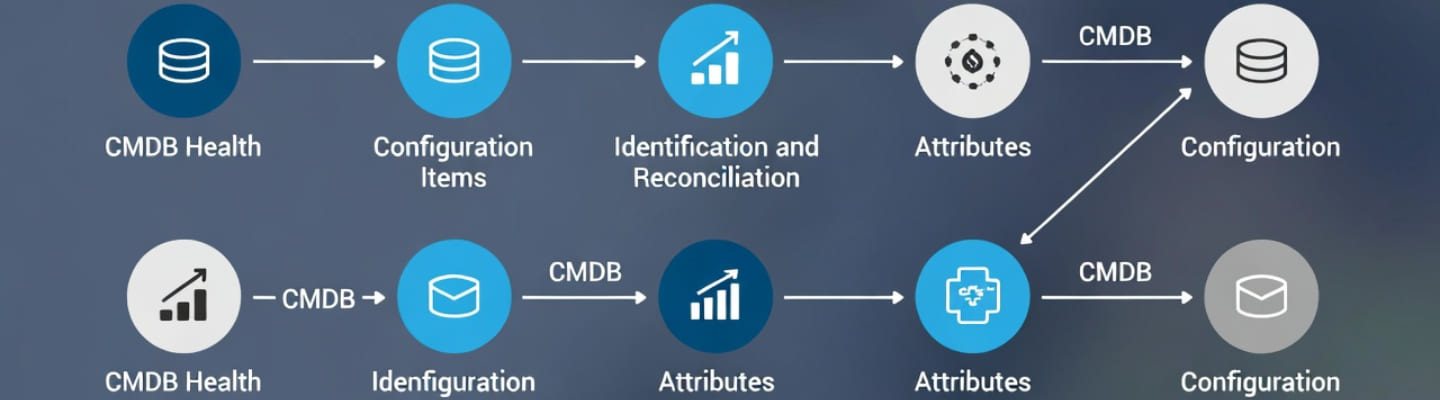
If you have ever opened your IT environment and thought, “Why does nobody know what is connected to what?”. A modern organization runs on servers, cloud services, SaaS tools, applications, databases, network components, endpoints, and a growing pile of dependencies between them. The hard part is not only finding those items. The hard part is understanding how they relate, which data source is trustworthy, and what breaks when one component changes. That is where the CMDB comes in. What is CMDB in ServiceNow? It’s the structured system that stores configuration items, their attributes, and their relationships so teams can understand the real shape of their digital environment. ServiceNow’s own documentation describes CMDB as a place to build logical representations of assets, services, and relationships, with capabilities such as CMDB Health, Identification and Reconciliation, and Data Manager to maintain integrity over time.
Key Features of ServiceNow CMDB
- Objective: To offer a detailed perspective of IT infrastructure and its connections, allowing for better decision-making, risk reduction, and effective IT service management (ITSM).
- Functionality: The CMDB operates on a hierarchical model where tables (classes) depict various kinds of IT elements, with child tables taking on characteristics from their parent tables.
- Data Input: Information is gathered through ServiceNow Discovery, Service Mapping, third-party integrations (Service Graph Connectors), or manual uploads.

Why This Matters More Than Most Teams Think
A weak CMDB does not fail loudly at first. It fails quietly. At the start, it just looks like:
- duplicate records
- missing owners
- wrong support groups
- broken dependency maps
- stale cloud instances
- change records with poor impact visibility
Later, it becomes a business problem:
- incidents take longer to resolve
- changes create avoidable outages
- audits become painful
- automation loses trust
- architecture decisions are made with bad data
A mature ServiceNow CMDB strategy helps teams move from guessing to knowing, because the platform is designed to give end-to-end visibility into services and infrastructure and act as a single system of record when the data model is managed correctly.
CMDB without The Jargon Overload
Think of the CMDB as a map, not just a database. It does not only answer “What do we own?”. It answers:
- what exists
- where it lives
- who owns it
- what it depends on
- what depends on it
- what changed
- what could be affected next
In ServiceNow, these records are stored as configuration items, usually called CIs. A CI can be a server, VM, business application, database, cloud resource, service, or another tracked component. Relationships between those CIs matter just as much as the records themselves, because that is what turns raw inventory into operational context. Many CMDB ServiceNow initiatives struggle because teams focus on loading records fast instead of defining which classes, relationships, and ownership rules actually make the data usable.
What a Strong CMDB Should Actually Do?
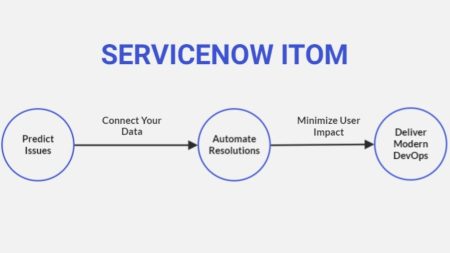
A good CMDB is not a trophy. It is a working control layer for IT and business operations (like ServiceNow ITOM). Here is what it should help you do every day:
- support incident triage with better context
- assess change risk before deployment
- understand service impact faster
- reduce duplicate or conflicting infrastructure records
- improve audit and compliance readiness
- enable cleaner automation across IT workflows
ServiceNow documents this value in practical terms: CMDB supports visibility, service mapping, health monitoring, impact understanding, and automation across the IT value stream.

The Core Blocks You Need To Understand
You do not need to memorize every CMDB module on day one. You do need to understand the parts that make the system trustworthy.
1. Configuration Items and Classes
This is the foundation. Your CMDB works only if your CI classes make sense. That means:
- the right class for the right object
- the right attributes on each class
- the right relationships between classes
- consistent naming and identification rules
If you dump everything into generic tables, reporting becomes messy and automation becomes fragile.
2. Relationships
A CMDB without relationships is just a catalog. Relationships tell you:
- which application runs on which server
- which database supports which service
- which service is used by which business capability
- what downstream systems may be affected by change
That is the difference between “we have data” and “we have operational visibility.”
3. CMDB Health
This is where reality checks happen. ServiceNow highlights CMDB Health as a core capability for tracking issues such as duplicate CIs, required fields, and audit problems. That matters because data quality is not a one-time cleanup project. It is an operating discipline.
4. Identification and Reconciliation
This is one of the most important parts of the platform. The Identification and Reconciliation Engine, often called IRE, provides the framework for identifying records correctly and reconciling updates when multiple data sources touch the same CI. In plain English: it helps prevent chaos when discovery tools, imports, APIs, and human updates all try to write to the same place.
5. Data Lifecycle Control
Not every CI should live forever. ServiceNow includes tools such as CMDB Data Manager, attestation, certification, and de-duplication features so organizations can archive, validate, or remove bad and obsolete data instead of letting the database bloat into fiction. A healthy ServiceNow configuration management database is never just populated; it is continuously governed.

Where the Data Should Come From?
This is where many projects go wrong. A CMDB should not depend on one heroic admin updating records manually at 11:30 p.m. That model collapses fast. A sustainable approach usually combines several sources:
- discovery tools for infrastructure
- cloud and SaaS integrations
- asset and endpoint platforms
- security tools
- import pipelines
- APIs
- selective human ownership for business context
ServiceNow’s product and documentation pages emphasize multi-source population, validation, correlation, and interoperability across the platform rather than manual-only maintenance.
CMDB Integration
A standalone CMDB is better than nothing. An integrated CMDB is where the real value shows up. Current ServiceNow documentation states that Service Graph Connectors import third-party data into CMDB and non-CMDB tables, while SGC Central in CMDB Workspace helps teams discover, install, manage, and monitor those connectors. Integration Commons for CMDB adds a dashboard plus transform logic to standardize integration processing and reduce variation across connectors. A practical ServiceNow CMDB integration approach usually focuses on:
- reducing custom connector sprawl
- choosing authoritative sources by CI type
- standardizing field mapping
- using reconciliation rules to avoid attribute wars
- monitoring connector health after go-live
Simple life hack: Do not start by integrating everything. Start with the sources that improve trust fastest:
- cloud inventory
- virtualization platform data
- endpoint/device sources
- application and service ownership data
- critical business service mapping
You will get more value from five reliable integrations than from twenty noisy ones.
Why CSDM Matters Even If You’re Not Enthusiastic About Frameworks
A lot of CMDB pain is really modeling pain. ServiceNow says the Common Service Data Model, or CSDM, is the data model standard for products that use the CMDB and that it reflects the service lifecycle. In practice, that means CSDM gives you a common language for where service-related data should live and how it should relate. Why this matters:
- it reduces model confusion
- it improves cross-product consistency
- it makes reporting cleaner
- it helps architecture, operations, and service teams speak the same language
- it prevents random table usage from turning into technical debt
A disciplined configuration management database ServiceNow program becomes much easier to scale when the data model is aligned before the integrations multiply.
Common Implementation Mistakes
Most CMDB failures are not caused by the platform. They are caused by bad rollout choices. Here are the usual ones:
Trying to Model The Whole Universe On Day One
That creates delay, confusion, and fatigue. Better move:
- start with high-value CI domains
- define success use cases first
- expand in phases
Letting Every Source Write Everything
That creates duplicate records and attribute conflicts. Better move:
- assign source authority by attribute or CI type
- enforce reconciliation rules
- document ownership clearly
Treating Population as The Finish Line
Loaded data is not trusted data. Better move:
- define health KPIs
- run attestation and certification
- clean duplicates continuously
Ignoring Relationships
You can have a full table and still no real visibility. Better move:
- prioritize dependency quality
- map service relationships that support incident, change, and impact analysis
Over-customizing Too Early
Heavy custom design often makes upgrades and integrations harder. Better move:
- stay as close to the native model as possible
- customize only when the business case is strong
A Practical Rollout Path That Actually Works
If you want momentum without chaos, use a phased approach.
Phase 1: Define the Operating Goal
Do not launch with “build CMDB” as the objective. Launch with goals like:
- improve incident impact analysis
- reduce change failure risk
- gain visibility into cloud services
- clean duplicate infrastructure data
- support audit readiness
Phase 2: Pick the First CI Domains
Good starting points often include:
- servers
- virtual machines
- cloud resources
- business applications
- databases
- network devices
Phase 3: Establish Data Ownership
Write down:
- who owns each CI domain
- which source is authoritative
- which fields can be updated by which source
- who reviews data health exceptions
Phase 4: Turn on Health Discipline
Track:
- completeness
- correctness
- compliance
- duplicates
- stale records
- orphaned relationships
Phase 5: Expand Only After Trust Improves
Once the first data domains are stable, add:
- more integrations
- more service modeling
- more business context
- more automation use cases
Building CMDB in ServiceNow works best when you treat it like a product with owners, metrics, and staged releases.
What Good CMDB Maturity Looks Like
You know the system is getting healthier when teams stop arguing about where data lives. You also start seeing:
- faster root-cause analysis
- better change planning
- cleaner service maps
- less duplicate CI noise
- more confidence in automation
- better alignment between IT and business views
This is not magic. It is the result of better identification, better modeling, and better operational habits.
Practical Tips That Save Time
These are the habits that usually pay off fast:
- Keep naming standards boring. Boring is good. Predictable names make search, reporting, and matching easier.
- Do not model data nobody uses. Every CI class and every attribute should support a real use case.
- Build dashboards for trust, not vanity. Track the problems that hurt operations: duplicate trends, missing owners, missing critical attributes, stale updates, failing integrations.
- Protect key fields. If five systems can update the same field with no governance, your CMDB will drift.
- Review relationship quality early. Bad relationships can make impact analysis look polished and still be wrong.
- Make one team accountable. Shared responsibility without clear ownership usually becomes no responsibility.
- Who should care about this most? CMDB is not only for platform admins. It matters to:
- IT operations teams
- service owners
- enterprise architects
- asset managers
- cloud teams
- security teams
- change managers
- support leaders
The reason is simple: all of them depend on trustworthy infrastructure and service context, even if they use it in different ways.
Is CMDB the Same Thing as Asset Management?
No. They overlap, but they are not identical. Asset management focuses more on ownership, cost, lifecycle, and financial or contractual control. CMDB focuses on configuration items, technical context, service relationships, and operational impact.
Do You Need Discovery to Make CMDB Useful?
Not always, but automation helps a lot. ServiceNow supports multiple ways to populate and maintain CMDB data, including integrations and discovery-related tooling, which is usually essential once the environment becomes large or dynamic.
What Makes CMDB Data Trustworthy?
Three things matter most:
- correct identification
- strong reconciliation rules
- ongoing health monitoring
ServiceNow explicitly positions Identification and Reconciliation plus CMDB Health as core controls for keeping CMDB data usable over time.
Is CSDM Optional?
You can technically load data without modeling well, but that usually creates problems later. ServiceNow treats CSDM as the standard data model for products using the CMDB, so aligning to it is the safer long-term move.
When Should a Company Start with CMDB?
As soon as the environment becomes complex enough that teams struggle to answer basic dependency and ownership questions reliably. That threshold usually arrives earlier than most companies expect.
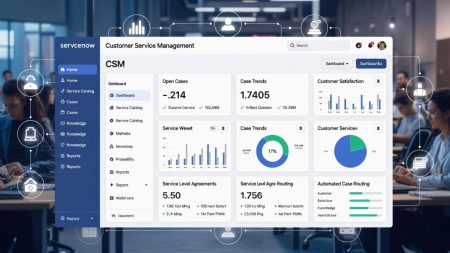
Are Servicenow CMDB And ServiceNow CSM the Same Platforms?
No, ServiceNow CMDB and ServiceNow CSM are not the same platform. They are different components within the same ServiceNow ecosystem, each serving a distinct purpose in IT and service management.
Final Takeaway
A CMDB is valuable only when people trust it enough to use it during real decisions. If the data is stale, duplicated, or structurally messy, the platform becomes a decorative archive. If the data is identified properly, reconciled correctly, aligned to the model, and kept healthy, it becomes an operational advantage. That is the real promise of ServiceNow CMDB: not just storing records, but creating a usable map of your technology estate that supports faster decisions and lower risk. If your team wants visibility without spreadsheet chaos, this is exactly why so many organizations decide to try ServiceNow CMDB.