Our Desktop App Development Project Steps

Desktop application development company GeeksForLess (GFL) plans delivery around the real machines, permissions and working conditions your software will encounter.
desktop application development services

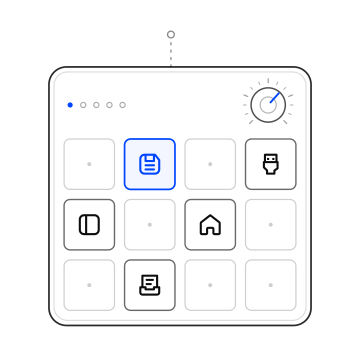
Define the Working Environment

We assess user tasks, operating systems, hardware, connectivity, data needs, scope and delivery priorities.

desktop application development company

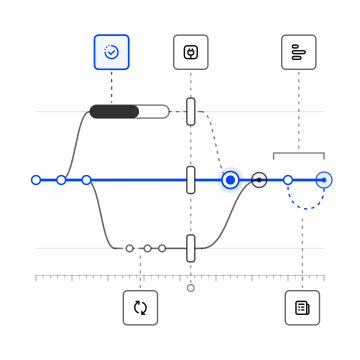
Build & Test

We build in reviewable increments and validate usability, installation, performance, devices, workflows and recovery.

desktop app development services

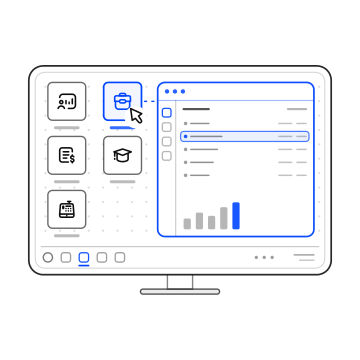
Deploy & Refine

We coordinate pilot rollout, resolve deployment issues, prepare documentation and support ongoing application improvements.

Turn Tasks Into Efficiency

Our desktop software development services address the friction employees face when generic tools cannot support specialized work:

  • Offline Continuity – We enable selected tasks to continue without an internet connection, with synchronization where required.
  • Focused Workspaces – GFL brings related actions into one interface so users spend less time navigating separate tools.
  • Local Responsiveness – We use workstation resources for suitable workloads to reduce unnecessary dependence on remote processing.
  • Direct Device Access – We connect supported equipment to application workflows, reducing repeated entry and manual file transfers.
  • Controlled Data Handling – GFL defines where information is stored, who can access it, and how it moves between local and connected systems.
desktop app development
Principles

Better
Tools
Smoother
Work

GeeksForLess (GFL) delivers custom desktop software development for the tasks your business cannot afford to handle inefficiently. We build around how people work, from frequent keyboard actions to complex processing routines and equipment-dependent operations.

Contact Us

GFL’s Core Desktop Expertise

Our desktop app development approach addresses the engineering details that determine how software behaves during everyday use:

  • Responsive Interfaces – GFL separates lengthy operations from interface interactions so users can track progress and remain in control.
  • Offline Data Integrity – We design local storage, synchronization rules, and conflict handling to protect work across connectivity changes.
  • Platform Integration – We account for operating-system permissions, file access, and device interfaces to support predictable behavior.
  • Resource Management – GFL manages memory, processing, and background activity to keep applications efficient on the intended hardware.
  • Release Reliability – We plan package signing, version compatibility, and recovery procedures to reduce disruption during installation and updates.
desktop software development services

Desktop Applications We Create

GeeksForLess (GFL) develops desktop applications tailored to business operations, productivity, data and industry-specific needs:

  • Business Management Software – GFL builds CRM, accounting, inventory and workflow automation tools that streamline daily operations.
  • Productivity & Collaboration Tools – We create project management, time tracking, task automation and communication applications.
  • Data & Financial Systems – We develop solutions for analytics, reporting, invoicing, ledger management and financial control.
  • Retail & Operational Software – GFL delivers POS, stock management, order processing and other operational desktop systems.
  • Industry-Specific Applications – We build custom desktop software for healthcare, education and other sectors with specific functional and compliance requirements.
custom desktop application development

Desktop Development Business Value

Our desktop app development services focus on improvements users and business leaders can recognize in everyday operations.

01/

Higher Team Productivity

Help employees complete specialized tasks with fewer steps and less administrative effort.

02/

Fewer Manual Errors

Reduce mistakes caused by repeated entry, inconsistent calculations and disconnected tools.

03/

Greater Operational Continuity

Keep essential local work moving when connectivity is limited or temporarily unavailable.

04/

Better Asset Utilization

Make effective use of suitable workstations, equipment and existing business systems.

05/

Easier User Adoption

Give teams interfaces that reflect familiar tasks and make routine actions easier to learn.

Our Desktop Technology Stack

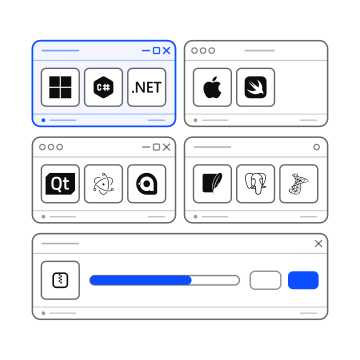
Our technology choices for desktop apps development depend on target platforms, device access, performance demands and maintenance needs:

  • Windows Applications – C#, .NET, WPF and WinUI.
  • macOS Applications – Swift, SwiftUI and AppKit.
  • Cross-Platform Frameworks – Qt, Electron and Avalonia.
  • Data & Connectivity – SQLite, SQL Server, PostgreSQL, REST APIs and device SDKs.
  • Packaging & Quality – Platform installers, code signing, automated testing, crash reporting and update tooling.
desktop applications development

Build Your Next Business Tool

Bring us a demanding workflow, an aging application or a task that off-the-shelf software handles poorly. As your desktop app development company, GeeksForLess (GFL) can assess the operating environment and outline a practical first release including key dependencies and delivery priorities.

desktop app development company

Desktop Development FAQ

FAQ.

Desktop software is worth considering when users need substantial local processing, direct equipment access or dependable offline functionality. It can also suit specialized workspaces with complex interfaces and frequent keyboard interaction. We assess these needs alongside distribution, maintenance and remote-access requirements before recommending an approach.

A shared codebase can support multiple platforms, depending on the framework and required functionality. Some capabilities still need platform-specific implementation and testing, especially when hardware or operating-system features are involved. We confirm the supported environments during discovery.

Yes. We can review the codebase, dependencies, data formats and current workflows to identify what should be retained or changed. The scope may involve interface improvements, component replacement, new integrations or a phased rebuild. Access to source code and technical documentation helps determine the available options.

The main factors include workflow complexity, supported platforms, hardware integration, data migration and testing coverage. Offline synchronization and specialized processing can also add engineering effort. We define the first-release scope and key dependencies before estimating delivery with optional functionality planned separately.

We agree on distribution methods, installation permissions, data protection needs and update policies during planning. Delivery can include signed packages, administrator documentation and controlled rollout procedures. Ongoing support can cover defects, compatibility changes, dependency updates and further improvements.

Interested in Desktop Development?